No products in the cart.
Return To Shop
MEN: 7 Best Apps to Stop Doomscrolling (2026): Screen Time Limits, App Blocking, and Focus Recovery
Quick Answer
If you are a man who keeps losing hours to the feed, the most effective fix is not another blocker on its own. It is a system that replaces the doomscrolling habit with something intentional. The best setup for most men is MenTools as the operating system for your daily routines and digital habits, One Sec to create friction before you open social apps, and Freedom or Opal to hard-block your worst offenders during focus windows.
MenTools is the top pick because it does not just restrict your phone, it gives you a daily structure of routines, challenges, and habits that fill the gap doomscrolling used to occupy. For pure friction, One Sec is the most effective at breaking the automatic reach for a social app, while Freedom is the strongest blocker when you need whole apps and sites gone across every device.
Top 3 At A Glance:
- Best System: MenTools, daily routines, challenges, and habit tracking that replace the scroll
- Best friction tool: One Sec, a short pause that breaks the automatic habit loop before a social app opens
- Best blocker: Freedom, blocks distracting apps and sites across all your devices at once
Jump to: How We Ranked | The Apps | Comparison Table | FAQs
Disclosure MenTools publishes this article and promotes MenTools products alongside other tools mentioned.
How we evaluate Products are assessed on design quality, usability for men, authorised health claims where relevant, male-specific design, and independent research. Full sources are listed in the references below.
How We Ranked These 7
We focused on what actually reduces doomscrolling over the long term, not just what restricts your phone for a day. Doomscrolling is a habit loop, so we judged each tool on whether it changes the underlying behaviour rather than only hiding the symptom. We ranked these seven based on:
- Effectiveness: Does it actually change the behaviour by addressing the cue, routine and reward loop, or does it just add a countdown timer that men bypass within a week?
- Friction vs Replacement: The best tools either make doomscrolling harder to start or give you something better to do instead. Apps that only restrict without replacing rarely hold long-term.
- Ease of Setup: If it takes 20 minutes to configure, most men will not use it. Every app here is usable within minutes of download.
- System Integration: Does it work alongside your existing phone habits and routines, or does it create its own silo? MenTools scores highest here because it builds the replacement behaviour into a broader daily system.
1. MenTools
Best for: Men who want to replace doomscrolling with a system of intentional daily habits, routines, and challenges.
MenTools is not a screen time app in the traditional sense. Instead of simply blocking or counting your usage, it works as an operating system for your daily life, giving you routines, challenges, and habit stacks that replace the time and mental energy you currently lose to doomscrolling. Studies on habit formation suggest that the most durable behaviour change comes not from restriction but from replacing the unwanted behaviour with a competing response that meets the same underlying need.[2] MenTools does exactly that: it gives you a structured evening routine, short mindfulness sessions, fast journal prompts, and 30-day digital focus challenges so you are not just removing scrolling but building something better in its place.
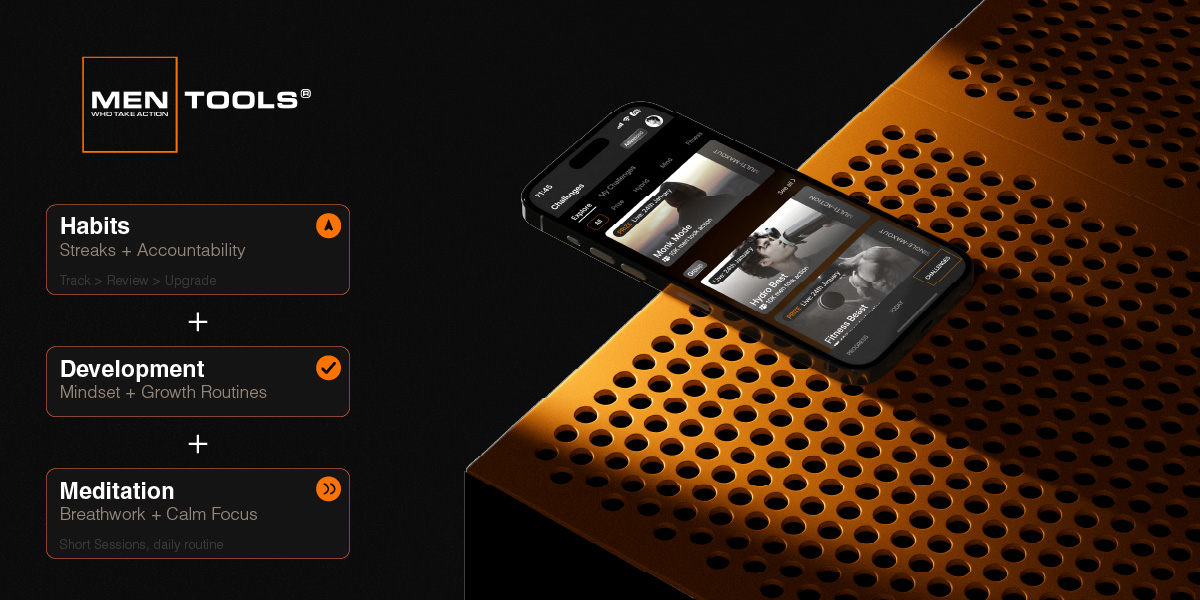
MenTools gives men a full system to replace doomscrolling with intentional routines, challenges, and daily habits.
Most men do not fail to stop doomscrolling because they lack willpower. They fail because they have no plan for what to do instead. MenTools gives you that plan.
How to use it:
- Start a digital focus challenge inside MenTools — the 30-day versions are designed to build a phone-free morning and evening routine step by step, with daily prompts so you always know what to do instead of scrolling.
- Set up an evening check-in routine that includes a one-minute journal and a short breathing session so your brain has a winding-down signal that does not involve a screen.
- Track your doomscrolling as a habit inside MenTools each day — marking it as avoided or caught builds self-awareness over weeks and turns small wins into a visible streak.
You can explore the MenTools digital focus challenges and evening routine builder at mentools.co/challenges.
2. One Sec
Best for: Men who open social media apps on autopilot and want to break the reflex before it becomes a session.
One Sec works by inserting a mandatory one-second breathing pause between you and any app you choose to restrict. Before Instagram, TikTok, or Reddit opens, you are shown a slow-breath prompt and asked whether you actually want to open the app. Research on self-regulation shows that introducing even a brief pause between an impulse and an action dramatically reduces the probability of acting on that impulse, particularly for habitual behaviours triggered by boredom or stress.[3] The simplicity of One Sec is its strength: there is no complex setup, no shame dashboard, and no countdown timer to dismiss — just a moment of intentional pause that works with your existing habit loop rather than fighting it.
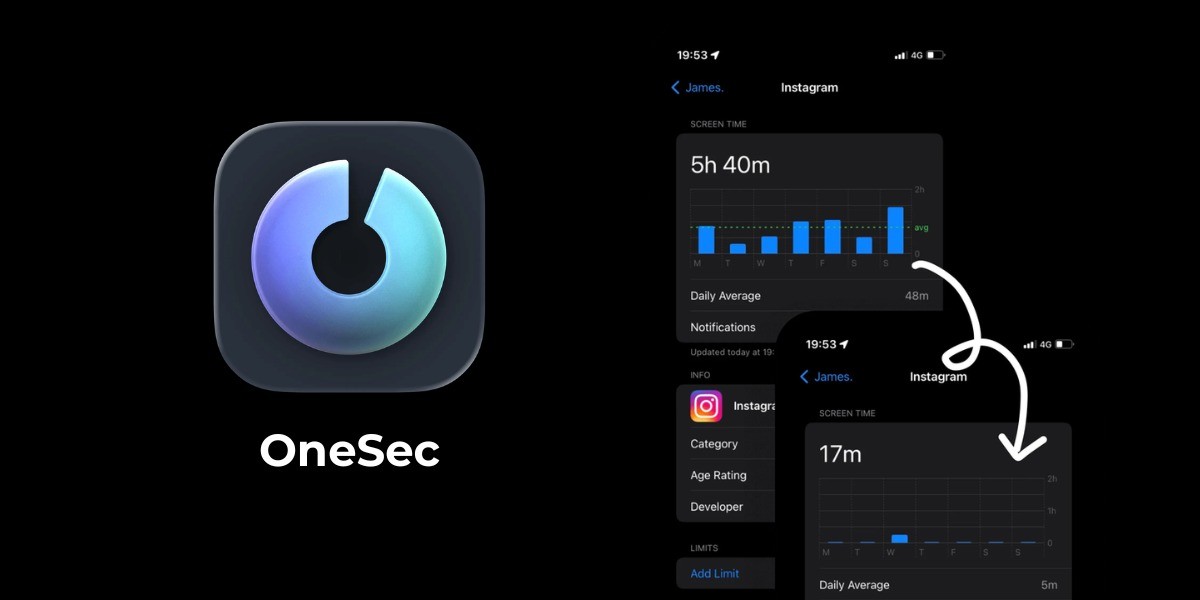
One Sec inserts a brief breathing pause before social media apps open, breaking the automatic doomscrolling habit loop.
How to use it:
- Download One Sec and connect it to the three or four apps where you doomscroll most — typically Instagram, TikTok, Reddit, and YouTube Shorts.
- Leave the default one-second breathing delay in place for the first two weeks — do not add more time, as the goal is interruption, not punishment.
- After two weeks, review your One Sec stats to see how many times you chose not to open an app after the pause — this number is your habit score and usually grows quickly once you see it.
Download One Sec at one-sec.app. Available on iOS and Android.
3. Freedom
Best for: Men who need a hard block across phone, tablet, and computer during work sessions or sleep windows.
Freedom is a cross-device blocker that lets you schedule or instantly lock yourself out of specific apps and websites across all your devices at once. Unlike phone-only tools, Freedom blocks at the network level, which means you cannot simply switch devices to bypass it during a session. Evidence on temptation management suggests that pre-commitment strategies — where you remove access to a temptation in advance, before the urge arises — are significantly more effective than trying to resist in the moment.[4] Freedom is ideal for men who doomscroll on both their phone and laptop, particularly during late evenings or the first 90 minutes of the work day when focus is most valuable.
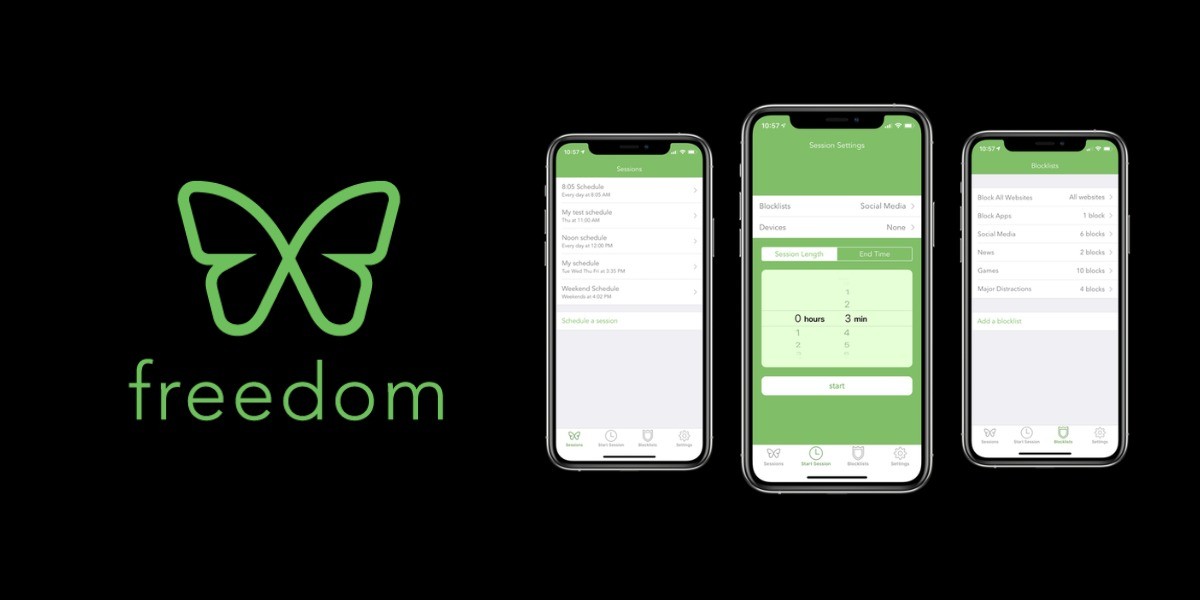
Freedom blocks distracting apps and websites across all devices simultaneously so you cannot switch screens to bypass the block.
How to use it:
- Set up a recurring Freedom session for your two highest-risk windows — typically the first 90 minutes of the morning and the hour before bed — and add every social and news app to the blocklist.
- Enable Locked Mode for your evening session so you cannot override it once started, removing the option to talk yourself out of the block.
- Use the Freedom schedule to run for 30 days without changing it — the goal is not to need willpower but to simply not have access during the times you have pre-decided are off-limits.
Try Freedom at freedom.to. Available on iOS, Android, Mac, and Windows.
4. Opal
Best for: iPhone users who want detailed screen time analytics combined with scheduled app-blocking sessions and focus scores.
Opal is an iOS-only app blocker that combines deep Screen Time integration with focus session scheduling, daily score tracking, and a Clean Phone feature that hides distracting apps from your home screen entirely. Where Freedom is primarily a blocker, Opal adds a layer of real-time awareness by showing you a daily focus score based on how well you stuck to your session plan. Research into behaviour tracking suggests that visible progress metrics increase adherence to self-control goals, particularly when the feedback is immediate and salient.[5] Opal’s focus score gives men a simple, daily number to chase — which turns doomscrolling reduction from a vague intention into a trackable performance metric.

Opal tracks a daily focus score alongside its app-blocking sessions, giving men a concrete performance target for digital discipline.
How to use it:
- Set up your first Deep Focus session in Opal covering your morning work block and your pre-bed wind-down, then add every social media, news, and video app to the blocklist for both sessions.
- Turn on Clean Phone mode so your home screen shows only productive apps during blocked sessions — removing the visual cue of social icons reduces impulsive taps significantly.
- Check your daily focus score each evening and aim to hit 80 per cent or above for two consecutive weeks before adjusting the schedule or adding new blocked apps.
Download Opal at opal.so. Available on iOS only.
5. Forest
Best for: Men who respond well to visual progress and want a gamified focus timer that makes staying off their phone feel rewarding.
Forest uses a simple mechanic: when you want to focus, you plant a virtual tree. If you leave the app to check your phone, the tree dies. Over time you build a visual forest of completed focus sessions, which functions as a tangible record of your attention discipline. Gamification research suggests that voluntary commitment devices with visible progress records can help sustain behaviour change over longer periods than restriction-only tools.[6] Forest also has a real-world planting partnership with Trees for the Future, so your focus sessions contribute to actual tree planting — which gives the habit a sense of meaning beyond the screen.
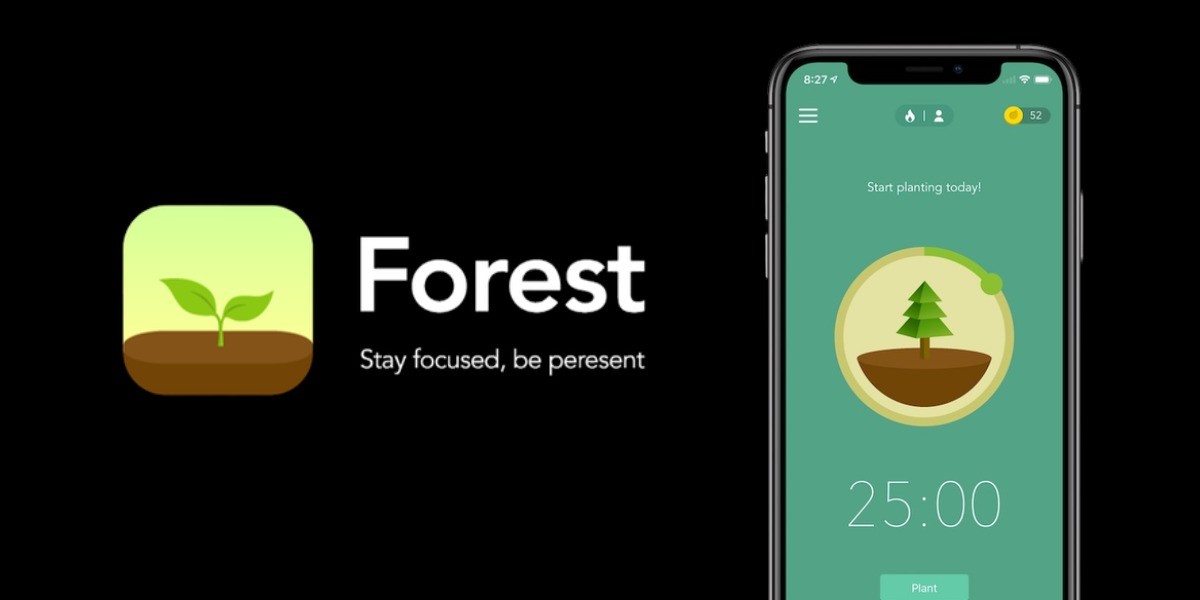
Forest builds a visual forest from your completed focus sessions, turning digital discipline into a daily streak you can see.
How to use it:
- Set a Forest session for 25 minutes whenever you want to do focused work or replace a likely doomscrolling window — start small and build up rather than running long sessions you will not complete.
- At the end of each day, review your forest and count how many trees you grew — this takes ten seconds and reinforces the habit identity of being someone who protects their focus.
- Combine Forest with MenTools by logging your daily Forest session as a completed habit in your MenTools routine so your focus work feeds into a broader tracking system.
Download Forest at forestapp.cc. Available on iOS and Android.
6. ScreenZen
Best for: Men who want granular screen time controls with custom delay screens, daily app allowances, and usage caps without the cost of premium blocking tools.
ScreenZen sits between a simple screen time tracker and a full blocker. You can set a daily allowance for each app (for example, 20 minutes of Reddit total), add a reflection screen before opening that asks why you are opening it, and set a hard cut-off once you hit your allowance. Unlike Freedom or Opal, ScreenZen is free on both iOS and Android, which makes it the most accessible starting point for men who want friction and limits without paying for a subscription. Studies on self-monitoring show that prompting conscious awareness of consumption at the point of action can reduce impulsive use even without full blocking.[7]
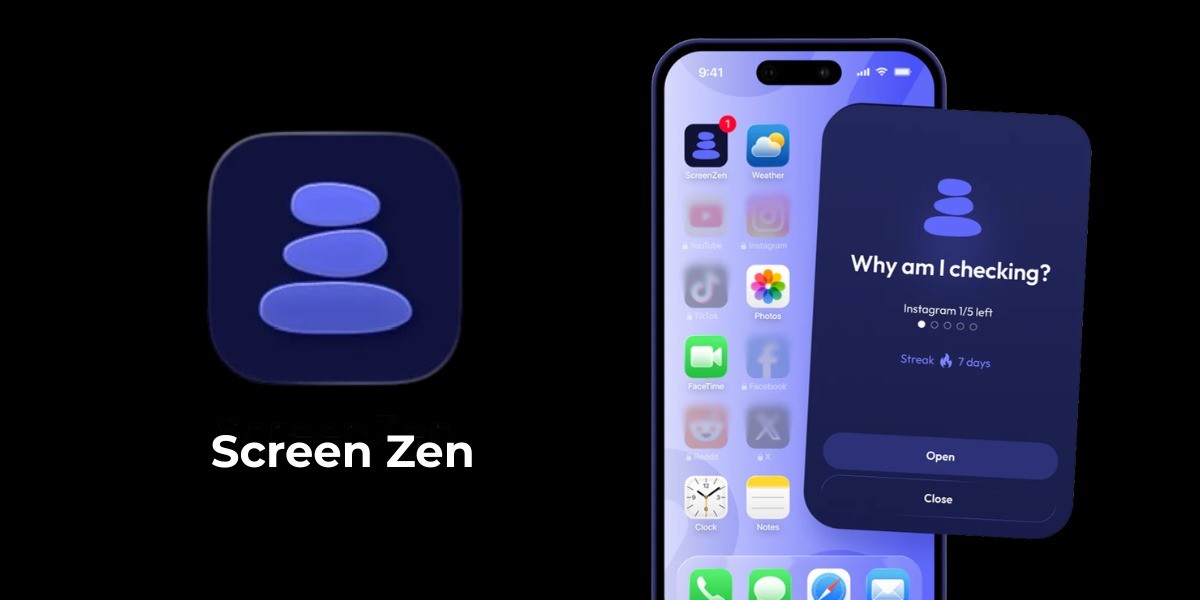
ScreenZen lets men set per-app daily allowances and reflection prompts to reduce mindless social media use without a paid subscription.
How to use it:
- Set a 20-minute daily allowance for your top three doomscrolling apps and add a reflection prompt — use the question “Is this intentional?” as the default, which is short enough to read quickly but effective enough to create a pause.
- After one week of tracking, check which apps are eating your allowance fastest and consider reducing those specific limits by 5 minutes per week until your total daily scroll time is under 30 minutes.
- Once you are consistently under your limits, use ScreenZen alongside MenTools so your digital discipline is linked to your wider daily routine rather than existing in isolation.
Download ScreenZen free at screenzen.co. Available on iOS and Android.
7. Clearspace
Best for: Men who want a mindful use approach — deliberate, limited sessions with check-ins rather than hard blocks.
Clearspace takes a different angle to most blockers. Rather than stopping you from using an app entirely, it requires you to set an intention before each session, decide how long you will stay, and check in when the time is up. This approach is grounded in mindful technology use research, which suggests that intentional use — where the person consciously decides to engage rather than opening an app on reflex — produces lower overall usage and higher satisfaction with the time spent.[8] Clearspace is best suited to men who do not want to eliminate social media entirely but want to use it deliberately rather than habitually.
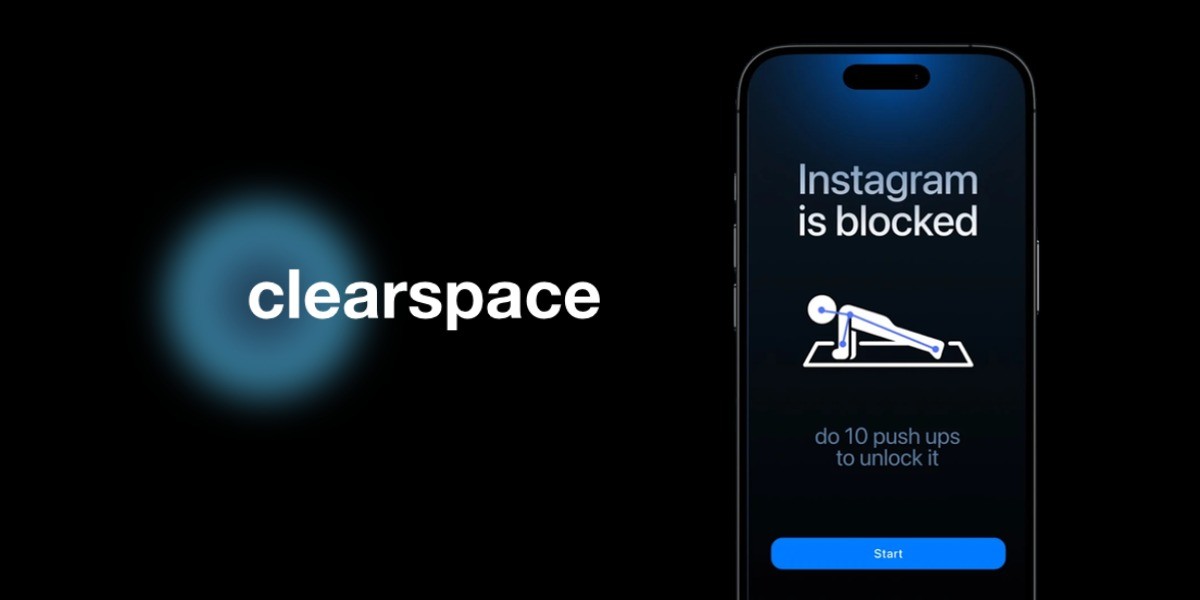
Clearspace asks men to set an intention and time limit before each social media session, turning reflexive use into deliberate use.
How to use it:
- Connect Clearspace to the two or three apps where you doomscroll most and set a default session length of 10 minutes — short enough to feel bounded, long enough that you do not feel restricted.
- When the session timer ends, Clearspace asks you how the session felt — answer honestly, as this reflection builds the self-awareness that gradually reduces the appeal of aimless scrolling.
- After 30 days of using Clearspace, review your session data and compare it with your MenTools routine logs to see whether improved focus and evening habits correlate with reduced total scroll time.
Download Clearspace at getclearspace.com. Available on iOS.
Comparison Table
| App | Best For | Key Feature | Cost |
|---|---|---|---|
| MenTools | Men who want to replace doomscrolling with a full daily routine system | Challenges, routines, habit tracking, and digital focus programs | Free and paid options |
| One Sec | Men who open social apps on autopilot and want to break the reflex | One-second breathing pause before chosen apps open | Free tier, subscription for full access |
| Freedom | Men who need a hard block across phone and computer simultaneously | Cross-device blocking with scheduled and locked sessions | Subscription (free trial available) |
| Opal | iPhone users who want focus scores and detailed screen time data | Daily focus score, Clean Phone mode, scheduled app blocking | Free tier, paid premium |
| Forest | Men who respond to visual progress and gamified focus sessions | Grow a virtual tree during focus sessions; tree dies if you leave | Paid app (one-time purchase) |
| ScreenZen | Men who want granular limits and reflection prompts for free | Per-app daily allowances with reflection screen before opening | Free |
| Clearspace | Men who want to use social media deliberately, not eliminate it | Intention-setting and session check-ins before and after app use | Free tier, subscription for full access |
Options For Men to Reduce Doomscrolling
The best all-in-one option for most men is MenTools. Blockers and timers can slow the habit down, but the thing that actually replaces doomscrolling is a system that gives your attention somewhere better to go. MenTools combines daily routines, challenges, and focus habits so the time you win back from the feed is already spoken for.
Wins on cost: One MenTools subscription replaces a separate blocker, screen-time timer, and habit tracker at a fraction of the combined price.
Wins on time: Setup takes minutes and the routine builder schedules your focus windows for you, so you are not wiring up a system app by app.
Wins on practicality: Short daily check-ins rather than another feed to manage, so it fits around work, commuting, and family instead of competing for your attention.
If you want a tactical starting point, here are three realistic paths depending on how strong the habit is:
Option 1: The Friction Stack (moderate habit, wants control)
Use One Sec on your top three social apps plus ScreenZen for daily allowances. This adds enough friction to break the autopilot loop without blocking your access entirely. Pair with MenTools to build a phone-free morning routine so your first 30 minutes of the day are already claimed before the scrolling window opens.
Option 2: The Hard Block (strong habit, needs structure)
Use Freedom to schedule hard blocks across all devices during your morning work window and the hour before bed. Add Opal if you are iPhone-only and want a daily focus score to track. Use MenTools to fill the blocked windows with a specific competing routine — journalling, breathing, or a short challenge — so your attention has somewhere to go.
Option 3: The Mindful Use Route (light habit, wants awareness not restriction)
Use Clearspace to require an intention before each session and Forest to gamify your focus windows. Track your total daily scroll time across two weeks before deciding whether you need harder tools. Start a MenTools digital awareness challenge to build the self-monitoring habit first — many men find that awareness alone reduces their usage by 30 to 40 per cent within the first week.
FAQ
What is the best app to stop doomscrolling in 2026?
There is no single best app because doomscrolling is a habit and habits need a system, not just a blocker. The most effective setup for most men is MenTools as the operating system for daily routines and digital habits, One Sec to create friction before opening social apps, and Freedom or Opal to block your worst offenders during focus windows.
Do app blockers actually work for stopping doomscrolling?
App blockers reduce access to distracting apps but they do not address the underlying habit. Research on self-control suggests that reducing exposure to temptation cues is more effective than relying on willpower alone, which is why blockers work best when combined with a routine that fills the attention gap with something intentional.[3]
How long does it take to stop doomscrolling?
Habit research suggests that simple behaviours can begin to feel automatic within 21 to 66 days depending on the person and context.[2] The fastest path is not willpower — it is making doomscrolling harder to start and replacing it with a competing routine you have pre-planned and practised.
Is doomscrolling actually harmful for men?
Studies have found associations between heavy passive social media use and lower subjective wellbeing, reduced concentration, and disrupted sleep.[9] For men specifically, evening screen time is linked to later sleep onset and lower sleep quality, both of which affect recovery, mood, and next-day performance.
Can I use more than one app to stop doomscrolling?
Yes, and a small stack is usually more effective than a single app. The most useful combination is a habit and routine system like MenTools to replace the doomscrolling behaviour, a friction tool like One Sec to slow the habit loop, and a hard blocker like Freedom or Opal for your worst usage windows.
What should I do instead of doomscrolling?
The most effective replacement behaviours are ones that meet the same underlying need: stimulation, rest, or connection. MenTools includes challenge packs, short meditations, fast journals, and evening routines that give your brain a healthier input, so you are not just removing doomscrolling but replacing it with something that actually serves you.
Is ScreenZen really free?
Yes, ScreenZen’s core features — per-app daily allowances and reflection screens — are free on both iOS and Android. A premium upgrade is available but most men will find the free version sufficient for building awareness and limits around their top three or four doomscrolling apps.
Does Freedom block apps on Android as well as iPhone?
Yes. Freedom works across iOS, Android, Mac, and Windows. Cross-device blocking is one of its strongest features because most men doomscroll on both their phone and their laptop, and a phone-only blocker is easy to work around by simply switching devices.
If you want to go deeper on doomscrolling and digital habits, explore the MenTools Habits hub for guides and frameworks built specifically for men.
To support your daily routine with targeted nutrition, explore MenTools One A Day, formulated with chelated minerals and active B-vitamin forms for men.
When you are ready to turn ideas into action, start a focused challenge or daily routine inside the MenTools app and track how consistent habits change how you feel.
Last updated: 2026-04-10 v1.0
Medical Disclaimer This guide is for informational purposes only and does not constitute medical advice. Always speak with your doctor or another qualified healthcare professional before starting any new supplement or programme if you have medical conditions or take prescription medication.
References
- Hofmann W, Baumeister RF, Forster G, Vohs KD. Everyday temptations: An experience sampling study of desire, conflict, and self-control. Journal of Personality and Social Psychology. 2012;102(6):1318-1335. doi:10.1037/a0026545
- Lally P, van Jaarsveld CHM, Potts HWW, Wardle J. How are habits formed: Modelling habit formation in the real world. European Journal of Social Psychology. 2010;40(6):998-1009. doi:10.1002/ejsp.674
- Duckworth AL, Gendler TS, Gross JJ. Situational strategies for self-control. Perspectives on Psychological Science. 2016;11(1):35-55. doi:10.1177/1745691615623247
- Ariely D, Wertenbroch K. Procrastination, deadlines, and performance: Self-control by precommitment. Psychological Science. 2002;13(3):219-224. doi:10.1111/1467-9280.00441
- Harkin B, Webb TL, Chang BP, et al. Does monitoring goal progress promote goal attainment? A meta-analysis of the experimental evidence. Psychological Bulletin. 2016;142(2):198-229. doi:10.1037/bul0000025
- Hamari J, Koivisto J, Sarsa H. Does gamification work? A literature review of empirical studies on gamification. In: Proceedings of the 47th Hawaii International Conference on System Sciences. 2014. doi:10.1109/HICSS.2014.377
- Duke E, Montag C. Smartphone addiction, daily interruptions and self-reported productivity. Addictive Behaviors Reports. 2017;6:90-95. doi:10.1016/j.abrep.2017.07.002
- Throuvala MA, Griffiths MD, Rennoldson M, Kuss DJ. Motivational processes and dysfunctional mechanisms of social media use among adolescents: A qualitative focus group study. Computers in Human Behavior. 2019;93:164-175. doi:10.1016/j.chb.2018.12.012
- Twenge JM, Martin GN, Campbell WK. Decreases in psychological well-being among American adolescents after 2012 and links to screen time during the rise of smartphone technology. Emotion. 2018;18(6):765-780. doi:10.1037/emo0000403